Your estate no longer has a version number
VCF component patches are no longer synchronised and no single page enumerates a patch set. What the 12 October release actually contained, the order it has to be applied in, and what that does to a change record.
On 12 October a set of patches came out for VCF 9.1.1 components. If you go looking for what is in it, here is what you find.
The release notes index carries a one-line entry: new patches for 9.1.1 components are now available. No versions. The Patch Releases 9.1.1.x page carries the same two dated entries, the 3 September general availability and the 12 October patches, and again names no components, no version strings and no build numbers. The detail sits on the individual component pages, one at a time.
I went looking for this a fortnight ago and could not pin it down. I assumed I was looking in the wrong place. I was not. It is not published in one place, and that turns out to be deliberate.
Broadcom has stopped synchronising component releases
The patch page states the model plainly enough once you read it as a model rather than as a page that is missing information. Patch releases are not synchronised across VCF components. They do not require a new Bill of Materials. And you choose which to apply, based on impact and operational cost.
That is a significant change and it is easy to read past.
For anyone who has ever written a change record, you can see the problem immediately. The change process assumes there is a before version and an after version. It is built on that assumption. Now there are fifteen of each.
What is actually in the October set
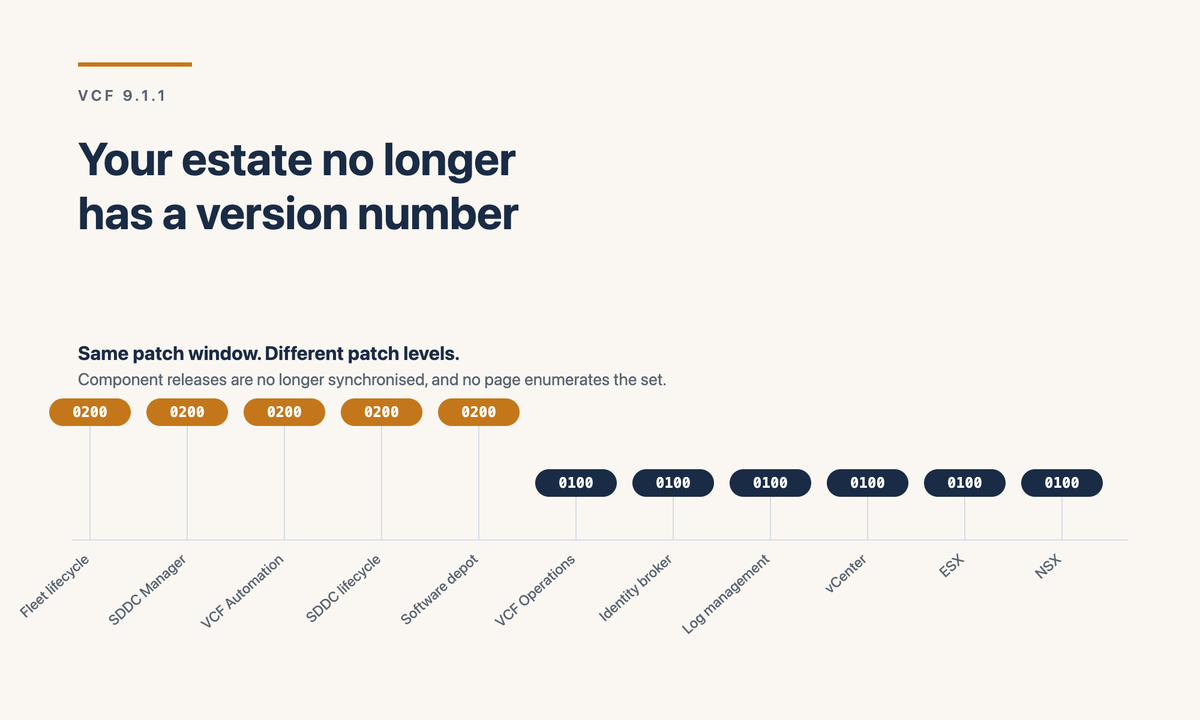
Since Broadcom does not assemble it, somebody in the community has. Chris Hildebrandt worked through the management components and published the versions he moved between. I am reproducing a selection here because it is useful, with the obvious caveat that this is community work verified against his environment and not a vendor statement. Check your own depot before quoting any of it in a change.
Note that components are landing on different patch levels, some on 0100 and some on 0200, inside the same patch window. That is the unsynchronised model doing exactly what it says.
The order is not optional
The part worth extracting from that write-up, more than the version numbers, is the sequence. A few of these constrain each other.
What I would change in a change process
If component releases are no longer synchronised, a change record that records "upgraded to 9.1.1" has recorded nothing useful. Three adjustments, none of them difficult:
Record component versions, not a platform version. The before and after fields need to hold a list. If your tooling will not take a list, attach the depot export and reference it, but stop writing a single string that is now meaningless.
Make the patch selection an explicit decision with a reason. Broadcom has handed you the choice of which patches to apply based on impact and operational cost. A choice that is never recorded as a choice becomes a gap in six months when somebody asks why one cluster is behind.
Keep a current-state export somewhere a person can read it. Not because anyone will read it routinely, but because the first question in an incident is now genuinely hard to answer from memory.
The part I am still unhappy about
The information exists. It is in the component release notes, accurately, and the model is defensible. Unsynchronised patching means a fix ships when it is ready rather than waiting for a quarterly train, and most operations teams would take that trade.
But a customer trying to answer "what is in the October patch set" has to visit seven pages and assemble the answer themselves, or find a blog post by somebody who did it first. That is a reasonable thing for a community to do and an odd thing for it to be necessary.
If there is a single page that enumerates a patch set across components and I have missed it, tell me and I will correct this. I looked properly this time.
Sources
- Broadcom TechDocs: Patch Releases 9.1.1.x
- Broadcom TechDocs: VCF 9.1 release notes index
- Broadcom TechDocs: VCF 9.1.1.0 release notes
- Chris Hildebrandt, Patching VMware Cloud Foundation 9.1.1 Part 1: management components, 19 October 2026
- The staged path from vSphere 8 to VCF 9.1, where this was first flagged as outstanding
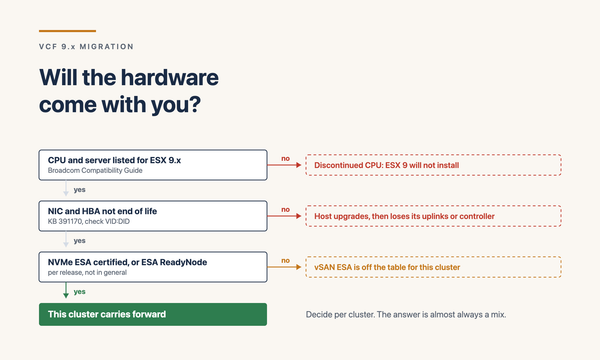
Related: you are estimating from the wrong number, on what losing a single platform version does to an upgrade estimate, and will the hardware come with you on whether the kit underneath it comes along.