Certificate Lifecycle in VCF 9.1 The Renewal Trap Nobody Plans For
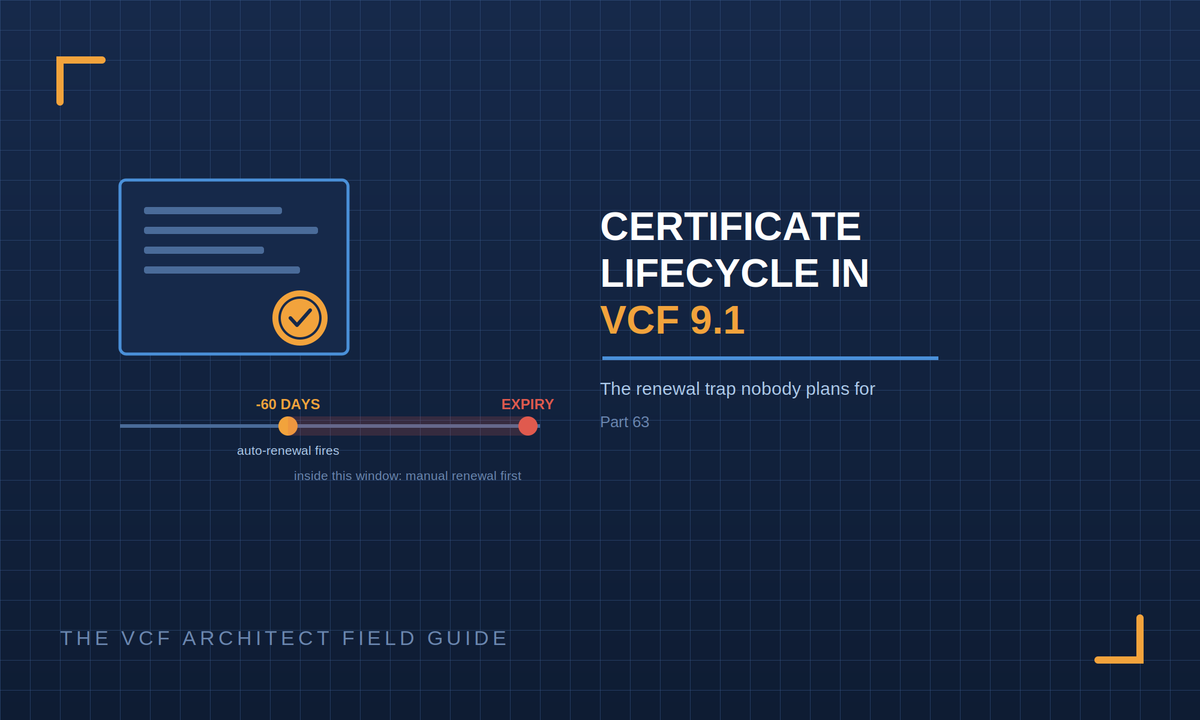
Auto-renewal in VCF 9.1 fires 60 days before expiry, which sounds like plenty of margin until you find out you can't switch it on for a certificate that's already inside that window. Here's how the renewal model actually works and what to write into your design.
Certificate expiry is one of those failure modes that never appears in a design review and regularly takes down a management plane. Nobody argues about it. Nobody objects to it. It just quietly isn't anybody's job until the day something stops trusting something else and half the estate goes dark at once.
VCF 9.1 handles this much better than earlier versions did. Certificate management is centralised in VCF Operations, renewal can be automated, and expiry alerts surface across the fleet. But the automation has a specific shape to it, and the shape has a trap in it that catches people who turn it on too late.
What VCF 9.1 Gives You
VCF Operations provides a unified, non-disruptive TLS certificate management system with centralised control across the components in the private cloud. Three things sit under that:
• Auto-renewal for certificates issued by VMware Certificate Authority, Microsoft CA, or OpenSSL CA specifically for components that support non-disruptive certificate updates.
• Replacement of the default deployment certificates with certificates signed by a trusted enterprise CA. Every component gets a default signing CA certificate at deployment, and those defaults are not what you want carrying production access.
• Certificate expiry notifications across the infrastructure, viewable in the VCF Operations console alongside the certificates themselves.
The 60-Day Trap
Automatic renewal happens 60 days before a certificate expires. That's the window.
Here's the part that catches people: if a certificate is already due to expire in 60 days or less, you cannot just turn auto-renewal on and walk away. You have to manually renew that certificate first, and then activate auto-renewal for the ongoing cycle. The automation covers the steady state, not the backlog.
Which means the worst time to set up certificate automation is the moment you notice a certificate is about to expire exactly when most teams get around to it. If you're inheriting an estate, or you've just finished an upgrade and certificate management is on the punch list, the sequence matters. Inventory first, manually renew anything inside the 60-day window, then enable auto-renewal across the board. Doing it the other way round leaves you thinking you're covered when you aren't.
There are two other limits worth knowing while you're in there. You can't renew root or intermediate certificates through this workflow, and you can't renew a certificate that has already expired. Both of those are recovery situations, not lifecycle situations, and they're considerably more painful.
Two Configurations, Not One
Auto-renewal is configured separately for VCF management components and for VCF instance components. That's a small detail with real consequences: it's entirely possible to switch on auto-renewal for one and quietly leave the other running manual, and nothing will tell you that's what happened until something expires on the side you missed.
If you're using Microsoft CA or OpenSSL root certificates, the certificate authority has to be configured before you activate auto-renewal at all. Order of operations again: configure the CA, then enable renewal. The CA configuration is done from VCF Operations under Certificates, using the Configure CA for Fleet option.
The NSX Caveat
Non-disruptive certificate rotation isn't universal. NSX supports non-disruptive rotation for vCenter Machine SSL certificate changes, but root CA certificate rotation is disruptive. If your design assumes every certificate operation is a background non-event, that assumption breaks specifically at NSX root CA rotation, and it's better to know that when you're planning a PKI change than when you're in the middle of one.
What to Put in the Design
Certificate lifecycle earns a short section in the HLD. Four lines cover most of it.
• Which CA issues certificates for this estate VMCA, an enterprise Microsoft CA, or OpenSSL and whether that CA is configured in VCF Operations for fleet management.
• Whether auto-renewal is enabled, confirmed separately for management components and for instance components.
• Who owns certificate operations by name or role. Not 'the platform team' someone specific, because the failure mode here is diffusion of responsibility rather than lack of capability.
• What the plan is for the operations that aren't non-disruptive, particularly NSX root CA rotation, and when that would be scheduled.
If you're carrying an older estate forward, add a fifth line: the current expiry inventory and the date it was last checked. Estates that have been through acquisitions, upgrades, or team changes accumulate certificates nobody has looked at in years, and the first check usually finds something.
Sources
• Broadcom TechDocs Managing Certificates in VMware Cloud Foundation
• Broadcom TechDocs Configure a Certificate Authority for VMware Cloud Foundation
Broadcom TechDocs What's New in VCF Operations (unified certificate management, NSX rotation caveat)